
Lay Out Your Robot Cell in the Browser: 3D Configurator and Line Simulation
The 3D configurator on our new website lets you lay out a robot cell in minutes and watch the line run. Here is how it works and how it shortens the quoting process.
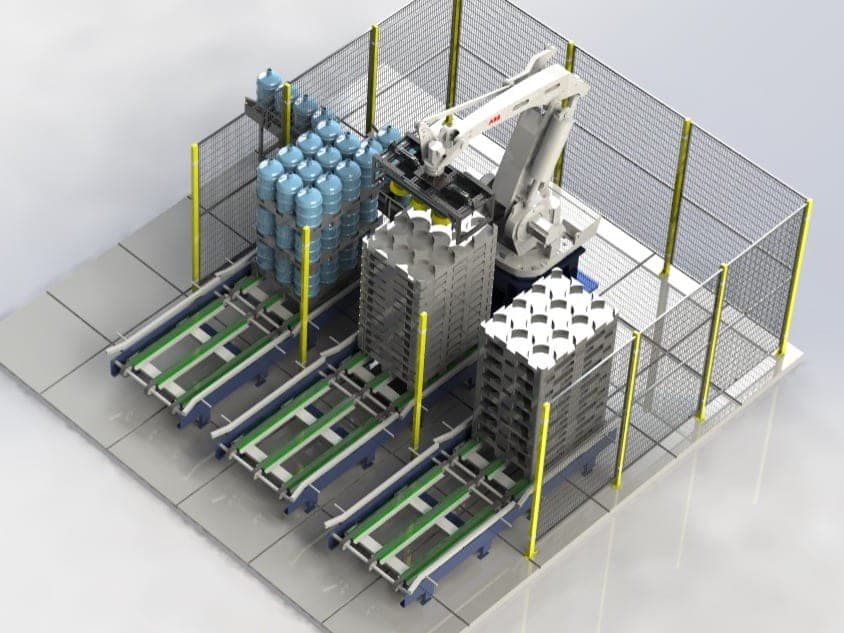
The first step of an automation investment is asking the right questions: which robot, which camera, what line speed, one robot or two? Answering them by filling a form is hard, because the answers depend on each other. That is exactly why we designed the configurator as an interactive 3D scene.
Pick components brand by brand
The catalog lists robots (KUKA, ABB, FANUC, Nachi), conveyors, cameras (Hikrobot, Basler, IDS, FLIR), lighting, sensors, reject pushers and PLC cabinets brand by brand. Click "Add to Scene" and the component drops onto the floor; drag and rotate to make the layout yourself.
The line really runs
As soon as you add a conveyor, parts start flowing. Add a camera next to it and parts are classified as A/B and defective (NOK) parts are flagged; a photoelectric sensor stops the part and a robot comes to pick it; a reject pusher pushes NOK parts into a bin. With two robots, they stack A and B parts on separate pallets according to the camera's decision.
Cycle report and quote
The report below the scene shows parts per minute, reject rate, average lead time, and per-robot cycle time and utilization. When you click "Request a Quote", the configuration, the report and a link that opens the exact scene go to our engineering team. So the first meeting starts with a concrete layout rather than an idea.
The configurator does not replace real project planning; before going on site we run a detailed simulation with real robot software. But building the first layout together, looking at the same scene, shortens the process by weeks.